AI Business Automation for More Small-Business Revenue
For a small business, growth is not just about attracting more inquiries. It is about responding while a prospect is ready, keeping useful context in one place, and making the next step easy for both the customer and the team. That is where thoughtful AI business automation can help: it connects routine work so fewer opportunities get lost between a call, a form, and a follow-up.
The goal is not to automate every interaction or make service feel robotic. It is to give people faster answers, help staff focus on high-value conversations, and build a reliable process that supports making money for small business owners without adding unnecessary busywork.
Start with the moments where leads go quiet
Before choosing an automation, map what happens after someone calls, submits a form, or asks a question. Look for the handoffs that depend on someone remembering to act: returning a missed call, assigning a new inquiry, sending appointment details, or checking whether a quote was received. These small delays can make a good lead feel overlooked.
Write down the steps your team already follows, including who owns each step and what information they need. Then choose one recurring gap to improve. A clear starting point makes it easier to measure whether the automation is helping, and it avoids building a complicated process around a problem that has not been defined.
- Identify the inquiry sources that matter most to your business.
- Note when and how a person currently responds to each source.
- Record the common questions or details needed before booking or quoting.
- Decide which situations should go directly to a person.
Use AI lead generation to support real conversations
AI lead generation works best when it helps a business respond consistently, rather than simply collecting more names. An automated intake can ask a few relevant questions, capture the customer's preferred contact method, and route the inquiry to the right person. For example, a home-service business might ask what type of work is needed, the service area, and the customer's preferred time to talk.
Keep the questions short and useful. Tell people what will happen next, and avoid asking for information that the team does not need. If a request is urgent, sensitive, or outside the system's confidence, send it to a staff member instead of forcing the customer through a scripted path.
Make the handoff visible
Every new inquiry should have a clear owner and next step. A practical workflow can create a lead record, assign it based on service or team availability, and alert the right person. The automation can also send a brief acknowledgment so customers know their message arrived. That first response is not a replacement for a helpful conversation; it is a bridge to one.
Put Voice AI to work when the team is busy
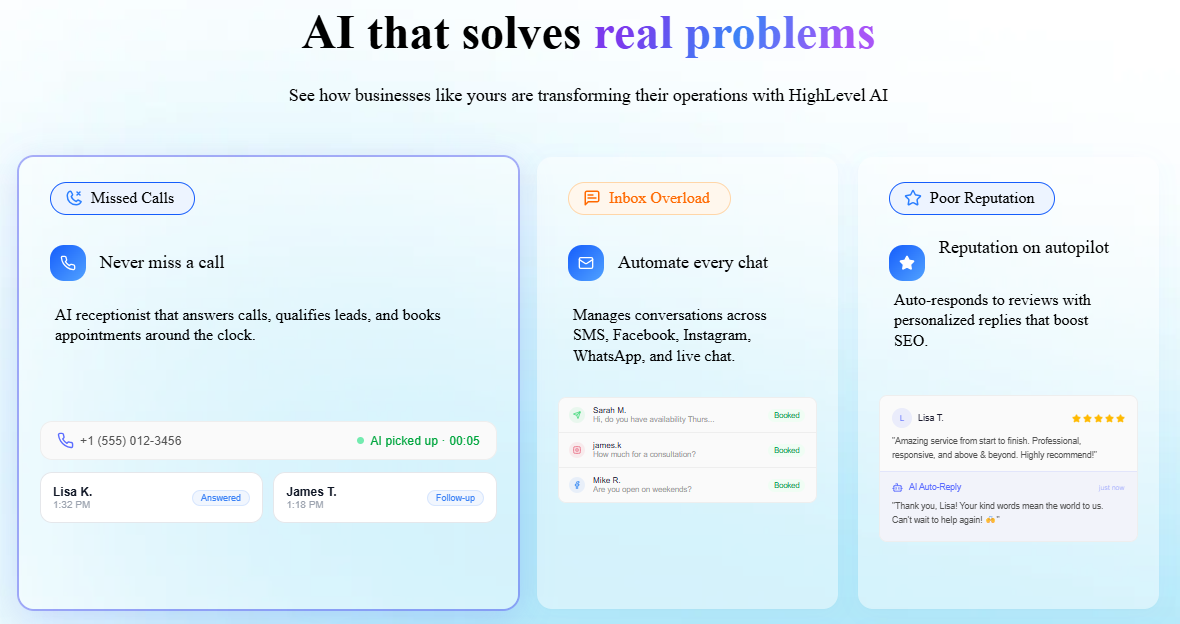
Calls often arrive while staff are helping a customer, driving between appointments, or outside normal business hours. Voice AI can answer common questions, gather basic details, and offer a next step such as booking a consultation or requesting a callback. Used carefully, it can support a "Never missed a call" promise by making sure callers have a clear way to be heard even when a person cannot answer immediately.
Begin with a narrow call flow: greet the caller, identify the reason for calling, collect only the necessary details, and either book, route, or arrange a human follow-up. Make it easy to reach a person when the caller asks or the situation needs judgment. Test the flow with realistic examples, including unclear requests, interruptions, and callers who need a different option.
- Use a natural greeting that makes the automated nature of the experience clear.
- Keep the menu and questions brief, with a human fallback.
- Send the call summary and requested next action to the responsible team member.
- Review call outcomes regularly and adjust confusing prompts.
Let the CRM carry the context forward
A CRM gives the team a shared place to see who made contact, what they asked for, and what should happen next. When automation updates that record after a call or form submission, staff can continue the conversation without asking customers to repeat the same details. Keep the record focused: contact information, inquiry source, relevant preferences, owner, and next action are often more useful than a long trail of unstructured notes.
Set up a small number of clear stages that reflect how customers actually move through your process. For instance: new inquiry, contacted, appointment booked, estimate sent, and won or closed. A stage should help someone decide what to do next. If the team cannot tell what an item means, simplify the labels before adding more rules.
Automate follow-up without creating noise
Useful follow-up is timely, relevant, and easy to stop. After an inquiry, send a short confirmation with the next step. If a person has not connected with the prospect, create a reminder for the assigned team member. After an appointment, send practical preparation details. Make sure messages reflect the actual service and do not promise a response time the team cannot meet.
Choose a few measures that reflect business value
Automation should make work clearer, not turn every activity into a dashboard project. Start with measures your team can act on: how many inquiries receive an initial response, how many appointments are booked, how many estimates receive a follow-up, and where requests commonly stall. Review a small sample of conversations as well as the totals; context can reveal whether a process is helpful or merely fast.
Connect the measures to the outcome you care about, such as fewer lost inquiries, a smoother booking experience, or more time for existing customers. Making money for small business is not achieved by sending more automated messages. It comes from serving the right customers well, following through reliably, and using staff time where it can make a difference.
Build safely, then improve one step at a time
Keep a person accountable for each automated process. Check that contact details are handled appropriately, that customers can request human help, and that important messages are accurate. Do not automate decisions that require professional judgment or depend on information the system cannot verify. If an automation fails, define who notices it and how the team will recover the conversation.
A useful rollout can be simple:
- Choose one common process, such as capturing and routing new inquiries.
- Write the intended customer experience in plain language before configuring anything.
- Test the process with sample calls and submissions, including unusual cases.
- Launch with a team member monitoring the handoffs and customer feedback.
- Refine the prompts, assignments, and reminders based on real outcomes.
As the process becomes dependable, add the next small improvement. This measured approach lets a business learn what works before expanding automation across every channel.
Turn more inquiries into a better customer experience
AI business automation is most valuable when it removes friction for customers and gives a small team a dependable way to follow through. Combine focused AI lead generation, Voice AI for calls that might otherwise go unanswered, and a well-organized CRM so each inquiry has context, an owner, and a clear next step. Keep the experience human, review the results, and adapt as the business learns.
Ready to make your follow-up more consistent? Book a demo or get in touch with our team to explore practical AI automation for your business. Start with one missed handoff, improve it, and build from there.